

Automate SEO: How to Unit Test Structured Data Using Python
Stop deploying broken Schema. A technical tutorial on using PyTest and BeautifulSoup to validate JSON-LD syntax and logic before your site goes live.

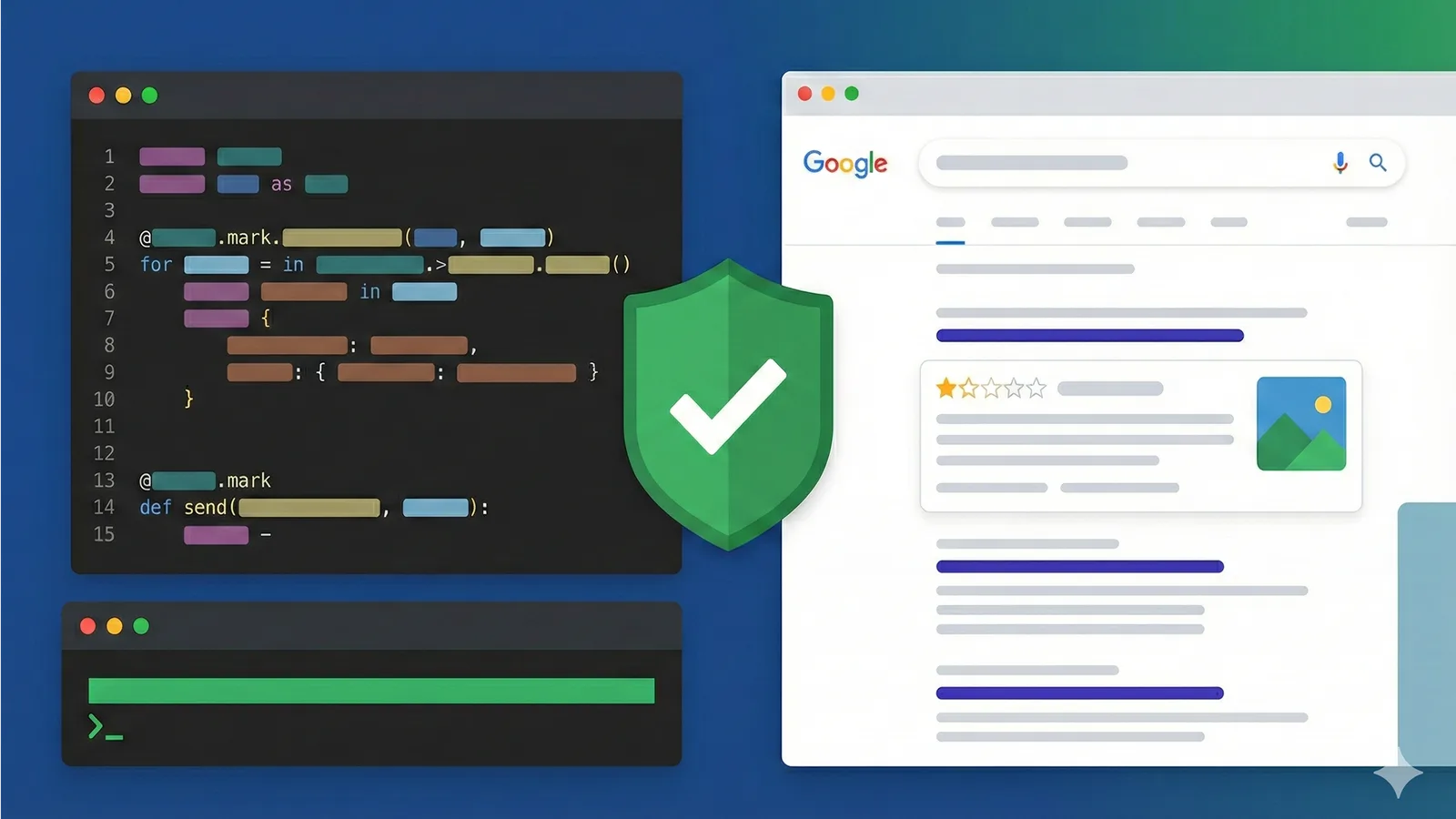
In modern web development, we unit test our business logic, integrate test our APIs, and end-to-end test our user flows. Yet, one of the most critical drivers of organic traffic, Structured Data (Schema), is often left to manual verification or, worse, post-deployment monitoring.
Waiting for Google Search Console (GSC) to flag a “Missing field” error is a lagging indicator. By the time GSC alerts you, the page has arguably already been crawled, indexed, and penalized for the error.
For DevOps teams and Agile organizations, SEO cannot be an afterthought. It must be treated as a software dependency. The article demonstrates how to shift SEO validation left by using PyTest to treat JSON-LD integrity as a pass/fail build metric.
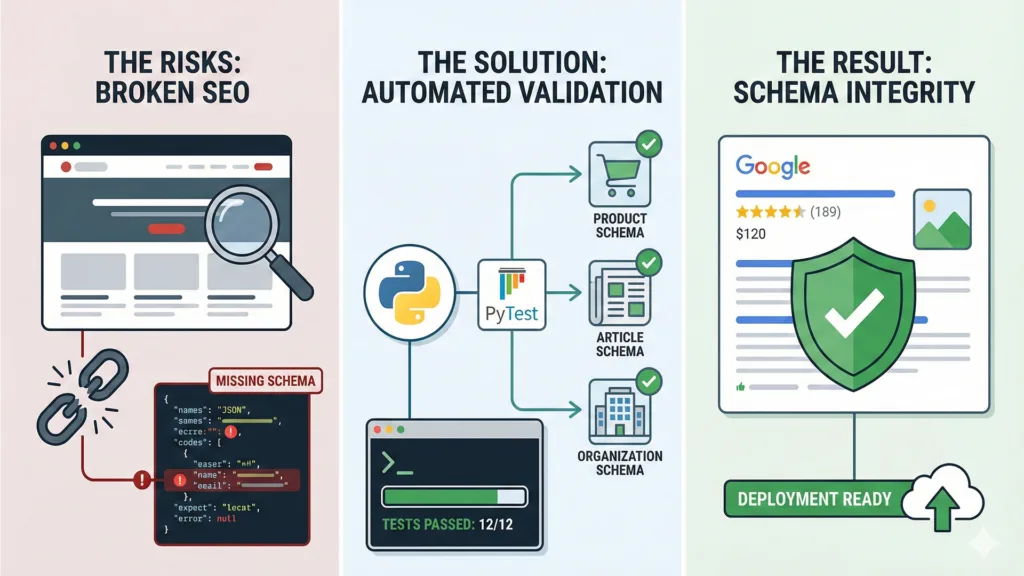
The Engineering Case: SEO Regression as a Bug
When a frontend update inadvertently strips a price attribute from a Product Schema or breaks the nesting of a BreadcrumbList, it is a functional regression.
Traditional SEO audits are snapshot-based and manual. To align with Agile workflows, we need automated, continuous validation. By implementing unit tests for SEO, we achieve:
- Immediate Feedback: Catch broken schema in the staging environment before production deployment.
- Schema Enforcement: Verify that critical keys (e.g., aggregateRating, merchantReturnPolicy) required for Rich Snippets are always present.
- Type Safety: Validate that prices are numbers, dates are ISO-8601, and URLs are valid.
By implementing unit tests for SEO, we get immediate feedback, schema enforcement, and type safety. This approach also benchmarks your pages against auditing content vectors for originality.
The Toolchain
We will use a lightweight Python stack to fetch, parse, and validate the Schema:
- PyTest: The testing framework.
- Requests: To fetch the HTML.
- BeautifulSoup4: To locate the JSON-LD script tags.
- Jsonschema (Optional but recommended): For strict validation against official Schema.org definitions.
Step 1: The Setup
Install the libraries you need:
Bash
pip install pytest requests beautifulsoup4
Step 2: Extracting the Data Payload
First, we need a reliable utility function to extract JSON-LD from a given URL. This function mimics a search bot, parsing the DOM to find the specific <script type=”application/ld+json”> tag.
Python
import requests

from bs4 import BeautifulSoup

import json

def get\_json\_ld(url):
response = requests.get(url)
if response.status_code != 200:
raise ValueError(f”Failed to load URL: {response.status_code}”)
soup = BeautifulSoup(response.content, ‘html.parser’)
# Extract all JSON-LD scripts
scripts = soup.find_all(‘script’, type=’application/ld+json’)
if not scripts:
return None
data = []
for script in scripts:
try:
# Clean strict characters if necessary
data.append(json.loads(script.string))
except json.JSONDecodeError:
continue
return data
Step 3: Writing the Tests
We will write tests that fail the build if the Schema does not meet our “Rich Result” criteria.This includes Product schema validation, price logic, and Organization sameAs verification for brand authority.
Using these automated tests also plays a critical role in preventing hallucinations with structured Schema, ensuring AI models and retrieval-augmented pipelines interpret your content correctly without introducing misinformation.
Test A: Existence and Syntax
The most basic test: does the page have JSON-LD, and is it valid JSON?
Python
test_seo_schema.py
import pytest

from utilities import get\_json\_ld
#Target URLs for testing (can be pulled from a config file)
TEST_URLS = [
“https://staging.your-site.com/product-page-1”,
“https://staging.your-site.com/blog-post-entry”
]
@pytest.mark.parametrize(“url”, TEST_URLS)
def test_schema_exists_and_is_valid(url):
“”“Fails if no JSON-LD is found or if it is unparseable.”“”
schema_data = get_json_ld(url)
assert schema_data is not None, f”No JSON-LD found on {url}”
assert len(schema_data) > 0, f”JSON-LD script tag was empty on {url}”
Test B: Type Integrity (The “Product” Check)
This is where we enforce business logic. If you are an e-commerce site, a product page must have a price and availability.
Python
@pytest.mark.parametrize(“url”, TEST_URLS)
def test_product_schema_integrity(url):
schemas = get_json_ld(url)
product_schema = next((item for item in schemas if item.get(‘@type’) == ‘Product’), None)
# 1. Assert Product Schema exists
assert product_schema is not None, f”Product schema missing on {url}”
# 2. Assert ‘offers’ exists (Critical for Merchant Center)
assert ‘offers’ in product_schema, “Product is missing ‘offers’ key”
# 3. Assert Price Logic
offer = product_schema[‘offers’]
assert ‘price’ in offer, “Offer is missing ‘price'”
assert float(offer[‘price’]) > 0, “Price must be a positive number”
# 4. Assert Currency Logic
assert offer.get(‘priceCurrency’) == ‘USD’, “Currency must be USD”
Test C: Resolving “SameAs” for Knowledge Graph
For brand authority (E-E-A-T), the Organization schema must correctly link to social profiles.
Python
def test_organization_identity():
url = “https://staging.your-site.com/”
schemas = get_json_ld(url)
org_schema = next((item for item in schemas if item.get(‘@type’) == ‘Organization’), None)
assert org_schema is not None
# Verify specific social profiles are linked for disambiguation
required_profiles = [“https://twitter.com/YourBrand”, “https://linkedin.com/company/YourBrand”\]
assert ‘sameAs’ in org_schema, “Organization missing ‘sameAs’ property”
for profile in required_profiles:
assert profile in org_schema[‘sameAs’], f”Missing social link: {profile}”
Integrating into CI/CD
To fully align with Agile workflows, these tests should be triggered automatically via GitHub Actions, GitLab CI, or Jenkins whenever a pull request affects frontend templates. That way broken Schema never reaches production.
By doing so, PyTest results feed into broader AI visibility metrics, linking structured content integrity to SOM as a KPI for structured content impact. This allows teams to measure how Schema changes influence brand presence within generative models.
Example pytest.ini configuration:
Ini, TOML
[pytest]
addopts = -v, tb=short
markers =
seo: marks tests as SEO validation
The CI Pipeline Step:
YAML
# .github/workflows/main.yml
-name: Run SEO Unit Tests
run: |
pip install -r requirements.txt
pytest tests/seo/, junitxml=reports/seo-results.xml
If the developers accidentally remove the price variable while refactoring the template, the build fails immediately.
Conclusion
By moving Schema validation from a manual post-launch audit to an automated pre-flight check, we reduce the “Time to Detect” (TTD) of SEO errors to zero.
In the era of Generative Engine Optimization (GEO) and Answer Engines, structured data is the API through which AI models understand your content. You wouldn’t deploy a broken API; don’t deploy a broken Schema.
Frequently Asked Questions
1- How to test a Python function using pytest?
Create a Python file named test_example.py. Inside, define a function starting with test_ (e.g., test_addition) and use the assert keyword to check your logic (e.g., assert add(1, 2) == 3). Run the pytest command in your terminal to execute it.
2- What is schema validation testing in Python?
It is the process of verifying that your data (such as JSON-LD for SEO) matches a strict blueprint. It checks that all required fields exist and that data types (like numbers, URLs, or dates) are correct, often using libraries like jsonschema or pydantic.
3- What is pytest & how does it work?
PyTest is a popular testing framework for Python. It works by automatically “discovering” any files that start with test_ or end with _test.py, running the test functions inside them, and reporting detailed errors if any assert statement fails.
4- Can pytest run a unittest-based test?
Yes. PyTest is fully backwards-compatible with Python’s built-in unittest module. It can automatically find and run existing unittest.TestCase suites without requiring any code changes.
Let’s Discuss it Over a Call
Key takeaways
- By moving Schema validation from a manual post-launch audit to an automated pre-flight check, we reduce the “Time to Detect” (TTD) of SEO errors to zero.
- In the era of Generative Engine Optimization (GEO) and Answer Engines, structured data is the API through which AI models understand your content.
- The Engineering Case: SEO Regression as a Bug
- The Toolchain
Keep reading
Related articles.
More on the same thread, picked by tag and category, not chronology.
AI SEO Services: The Real Work
An agency owner's account of what sits under the AI SEO label: the four kinds of work in a real engagement, which three are verifiable and which one is not, and the cases where you should not buy it at all.
Faizan Ali Khan
AI Video Labeling Rules in 2026
Europe's transparency rules and California's provenance rules both became enforceable on 2 August 2026. What applies in the EU, US, UAE and Pakistan, which videos actually attract penalties, and what it means for agencies and the companies that hire them.
 Samrina Khan
How to Choose an AEO Agency
The buyer's side of answer engine optimization: the four layers a real program covers, twelve questions with the answers that should worry you, what it costs, and the cases where hiring anyone is the wrong move.
Faizan Ali KhanReady when you are
Want Cubitrek to run AEO & GEO for you?
We install aeo & geo programs for growing companies across the US and Europe. Book a call and we'll come back with a one-page plan in 72 hours.